

Elementary’s Opsgenie integration enables sending alerts when data issues happen. It is recommended to create alert rules to filter and select the alerts that will create incidents in Opsgenei.Documentation Index
Fetch the complete documentation index at: https://docs.elementary-data.com/llms.txt
Use this file to discover all available pages before exploring further.


Enabling Opsgenie alerts
Create an Opsgenie API key
To create anOpsgenie API key, go to Opsgenie and follow the following steps:
- Create or select an
Opsgenieteam - this team will be responsible for alerts generated by Elementary. - On the selected team go
Integrationstab and press onAdd Integration:- Select
APIand pressAdd - Select a name for the
API integration- “Elementary” for example - Make sure
Createandupdate accessare selected - Press on
Save Integration - Copy the
API keyand provide it to Elementary UI.
- Select
Add API key to an environment
-
Go to the
Environmentspage on the sidebar. -
Select an environment and click connect on the
Connect incident management toolcard (second card), and selectOpsgenie.
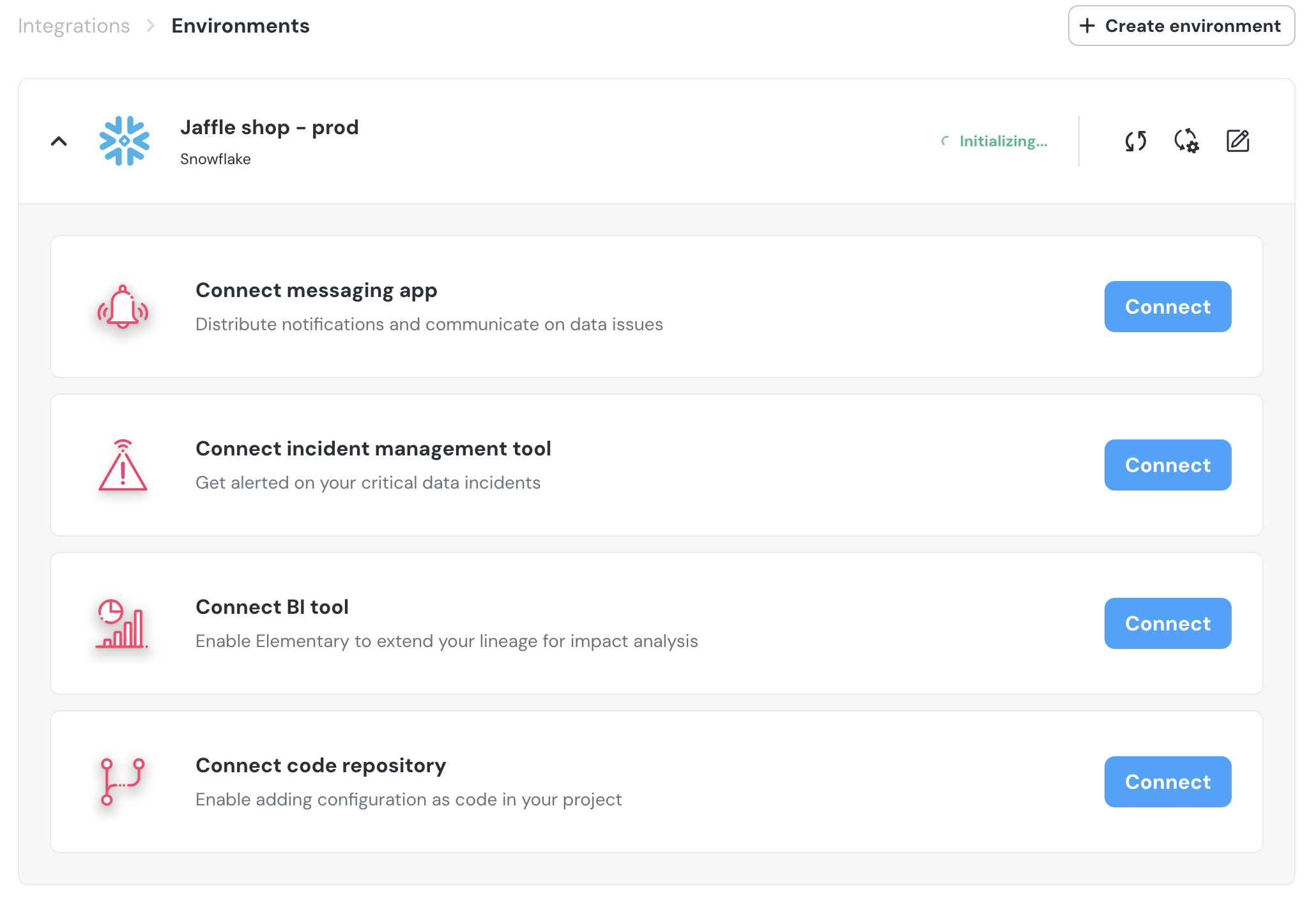
- Fill the
API keyand select theAPI URLand save the integration:

Opsgeniewill now be available as a destination on thealert rulespage. You can add rules to create Opsgenie incidents out of alerts who match your rule.