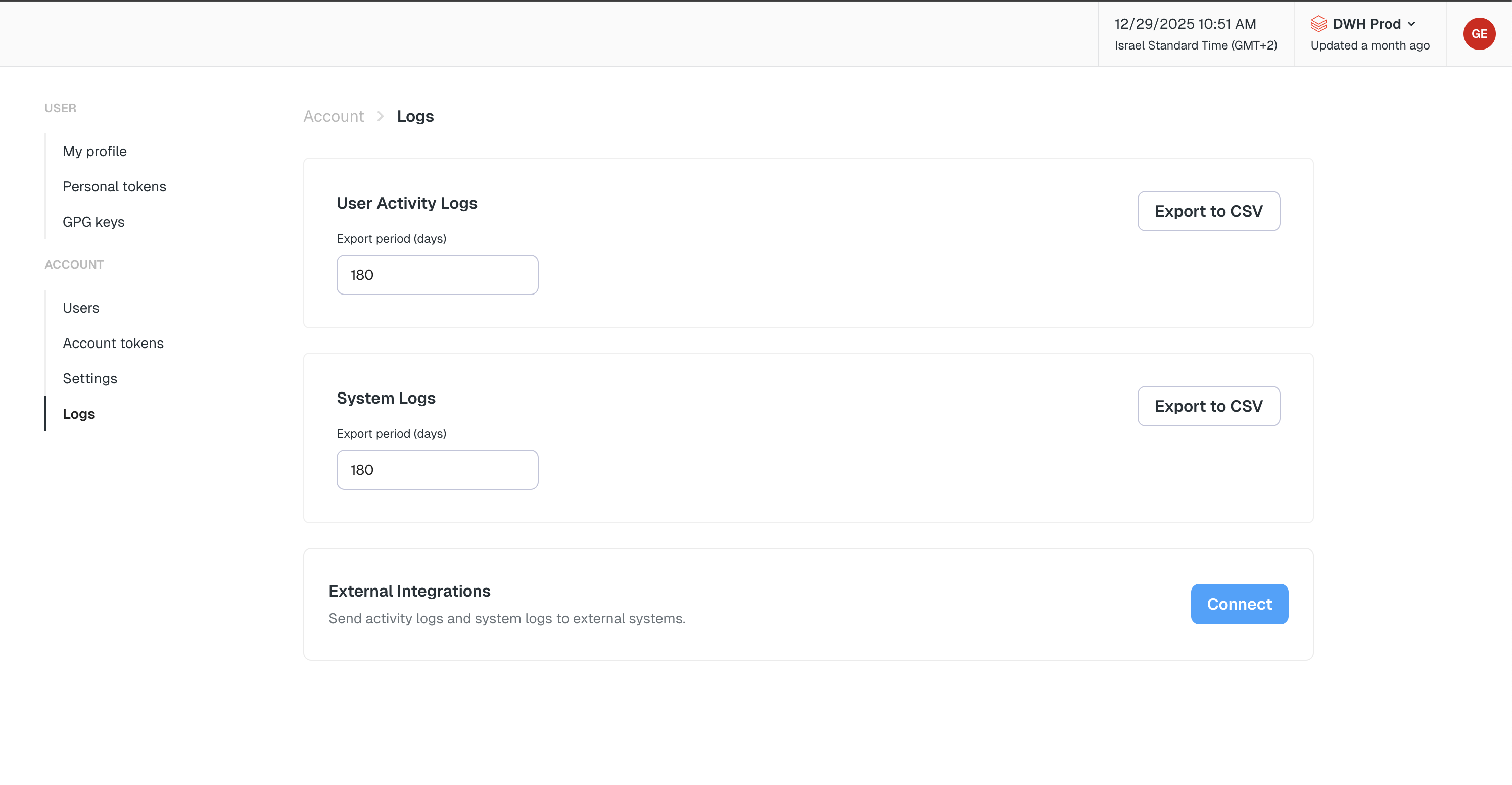
The Logs feature allows workspace admins to track and export both user actions and system-level events across the platform. This includes user configuration changes, data synchronization events, and alert deliveries. This feature provides visibility into workspace activity and helps support audit readiness, team coordination, operational monitoring, and troubleshooting.Documentation Index
Fetch the complete documentation index at: https://docs.elementary-data.com/llms.txt
Use this file to discover all available pages before exploring further.
Log Types
- User Activity Logs - Track changes made by users across the system
- System Logs - Track system-level events and operations
How to Access Logs
Once enabled for your account, access the logs: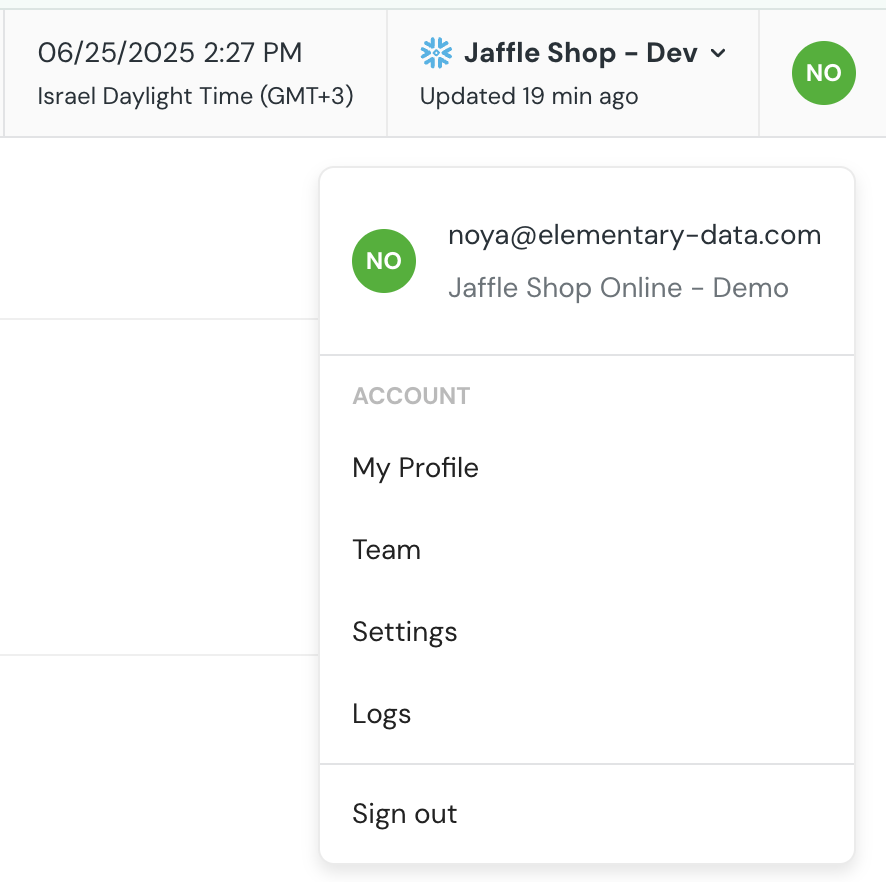
- Click on your account name in the top-right corner of the UI
- Open the dropdown menu
- Select Logs
- Choose User Activity Logs or System Logs from the log type selector
- Select the number of days to look back
- Click Export to download the log as a CSV file
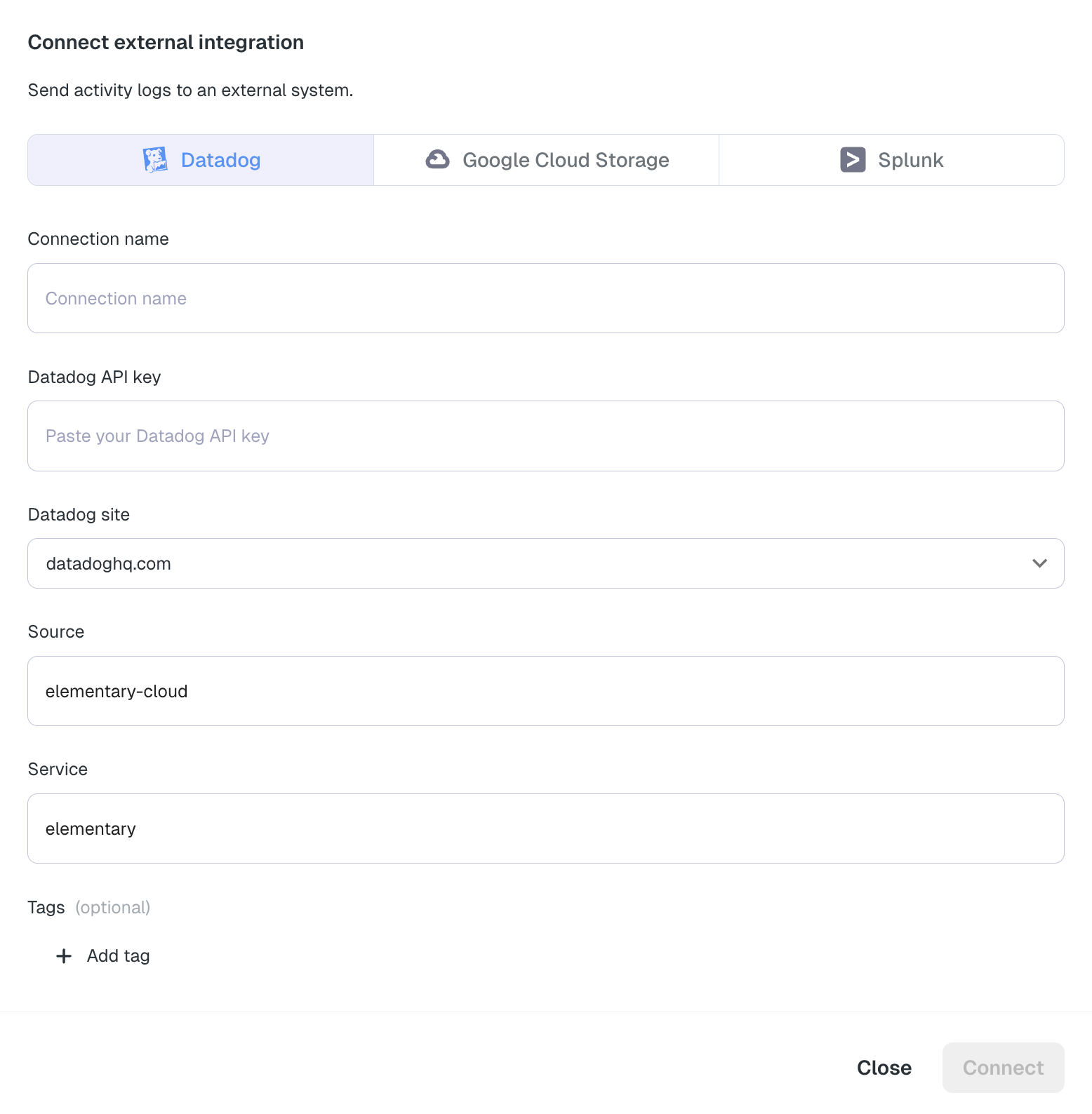
Stream Logs to External Services
In addition to exporting logs as CSV files, you can stream logs in real-time to external log management services for centralized monitoring, analysis, and long-term storage.Available Integrations
- Datadog - Stream logs to Datadog for centralized log management, monitoring, and alerting
- Splunk - Stream logs to Splunk via HTTP Event Collector (HEC) for centralized log management and analysis
- Google Cloud Storage (GCS) - Stream logs to GCS buckets for long-term storage and integration with BigQuery and other Google Cloud services